Product Collection Compatibility Result
On a Collection page, you can add the Compatibility results indicator on each product shown on the screen.
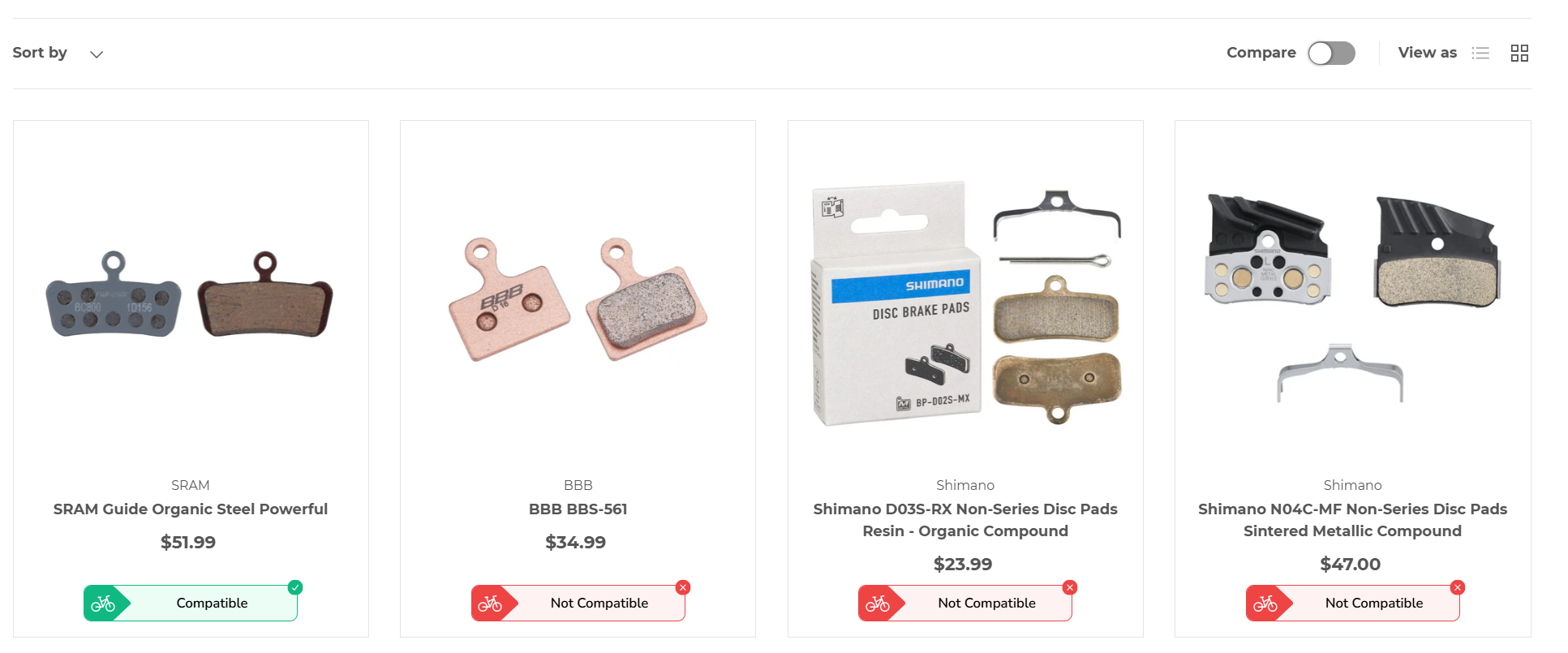
To add the Compatibility Results to a Collection page (which includes it on the Home page or Search Results page if turned on in the Bike Matrix App Embed section):
Unfortunately, right now the only way to add this is to edit your Theme Code. Follow these steps to edit the Theme code. Note: you may need a Shopify Partner to help edit the code. Get in touch with us and we can help.
- From your Shopify admin, go to Online Store > Themes.
- Click ... > Edit code.
Find the location of the collection product card code (ie. in the Dawn Theme, it is placed at Snippets > card-product.liquid file at line 204) and in the appropriate location add the following liquid code and html:
{%- liquid
if product.has_only_default_variant == true
    assign bm_variantMetafields = product.selected_or_first_available_variant.metafields.bike_matrix.sku
else
    for variant in product.variants
    assign bm_variantMetafields = bm_variantMetafields | append: variant.metafields.bike_matrix.sku
    if forloop.last == false
    if variant.metafields.bike_matrix.sku != "" and bm_variantMetafields != ""
        assign bm_variantMetafields = bm_variantMetafields | append: ","
    endif
    endif
    endfor
endif
-%}

<bikematrix-collectionresult
    class="bm-collection-result-wrapper bm-wrapper"
    data-product-id="{{ product.id }}"
    data-product-metafields="{{ bm_variantMetafields }}"
></bikematrix-collectionresult>
Note: your theme may use 'product' or 'card_product' to reference the product in this liquid file (in the Dawn Theme, it uses 'card_product'). Replace 'card_product' with the appropriate variable name for the Product in the snippet above if required.