Configure App Proxy
Ensure that the Storefront can communicate with the Bike Matrix App (and the compatibility logic) by ensuring the App Proxy is set up correctly.
-
From your Shopify admin, go to Settings > Apps and sales channels > Bike Matrix.
-
Scroll to the App proxy card, and ensure the App Proxy Url is:
https://<store name>.myshopify.com/apps/proxy
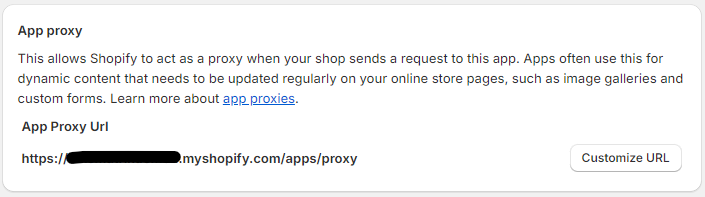
- If it does not end with '/apps/proxy' then click 'Customize URL' and update the URL