Bike Selector App Embed
- From your Shopify admin, go to Online Store > Themes.
- Find the theme that you want to edit, and then click Customise.
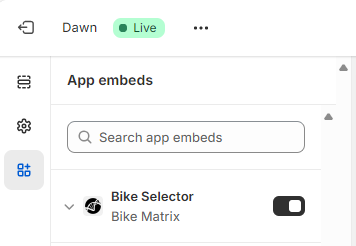
- On the sidebar, click the App embeds icon.
- On the Bike Matrix Bike Selector App Embed click the toggle to activate it:
- If products on the home page should have the Compatibility Check then check ‘Show on Home Page’. For each product displayed on the home page, a check will be made against that product to ensure that it exists in a collection that has compatibility turned on (ie. Brake Pads). If so, a compatibility result will be shown for that product, otherwise it will not. This stops products like t-shirts (which may be shown on the home page) from getting a compatibility check!
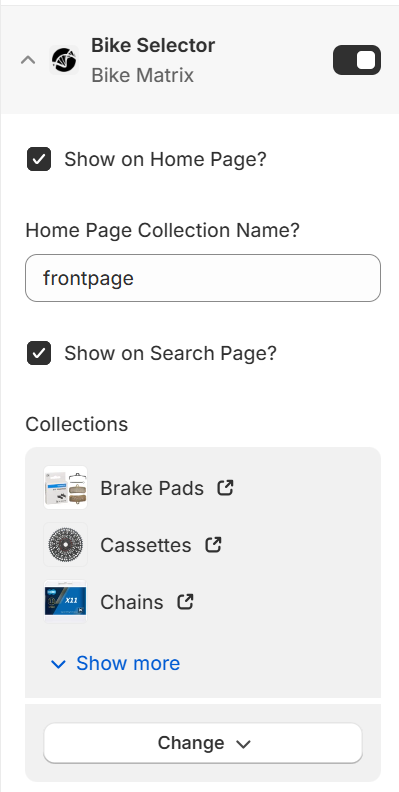
If the Home Page Collection name has changed, you can enter it here. If not, leave it as the default of 'frontpage'.